01
Rental & leasing
Manage vehicles, availability, customers, reservations, and agreements in one workspace.
Explore this industry: Rental & leasingfor companies that run commercial vehicle fleets
Consolidate the fleet into one operational truth beside the ERP, spreadsheets, and messengers you already use.
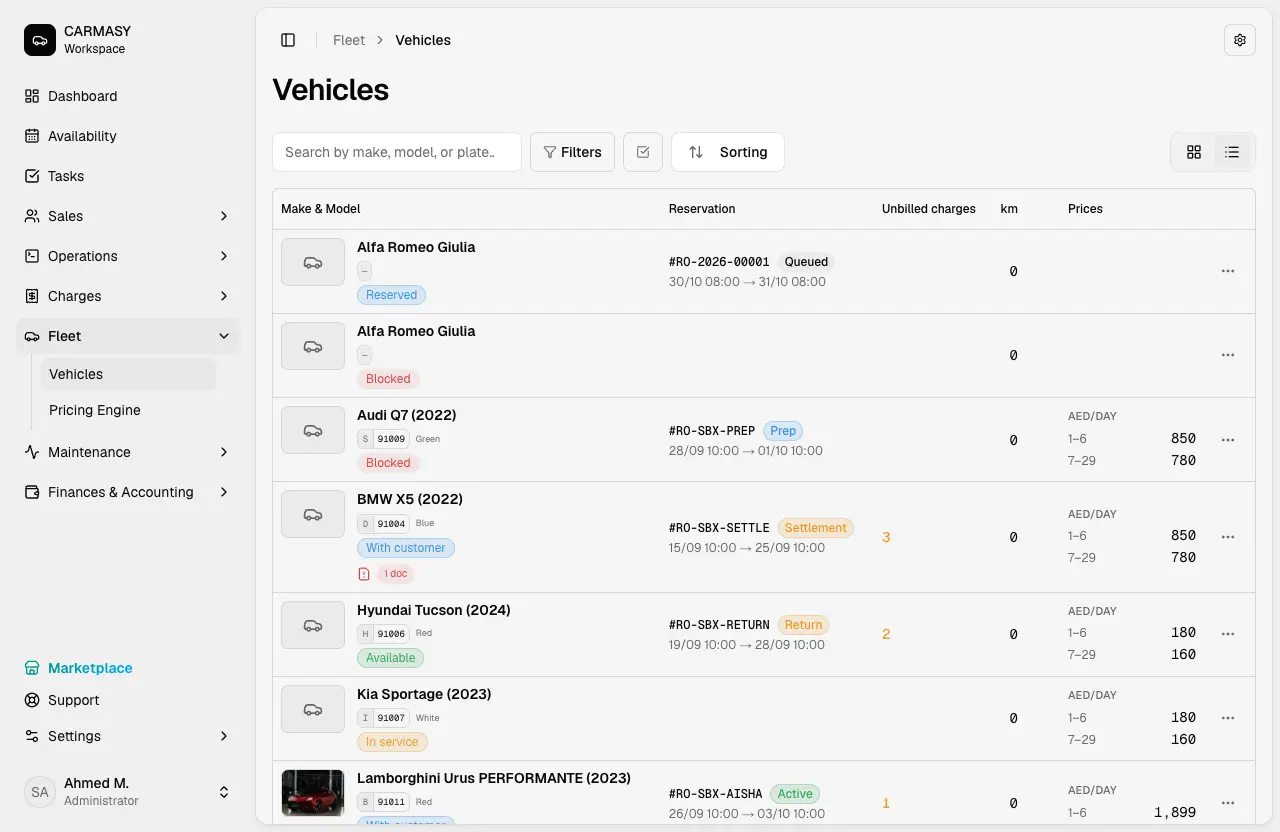
01
Start with the foundation. Add each paid module independently for a specific workflow.
01
Manage vehicles, availability, customers, reservations, and agreements in one workspace.
Explore this industry: Rental & leasing02
Manage vehicle records, documents, customers, and sale agreements in one workspace.
Explore this industry: Vehicle trading03
Manage vehicles, branches, documents, expiry dates, and responsibilities in one workspace.
Explore this industry: Commercial fleet02
03
Keep fleet records together. Run daily work. Add automation for a specific workflow.
| Fleet records | Daily operations | Optional modules | |
|---|---|---|---|
| Vehicles | Details and documents | Availability and alerts | Workshop and maintenance |
| Customers | Customer records | Agreements and handovers | CRM and messaging |
| Charges | Charge history | Review before settlement | Fines and toll matching |
04
Fleet management software for rental, leasing, trading, and commercial fleets worldwide. Start with the foundation. Paid modules stay optional.
Rental, leasing, trading, and commercial fleets worldwide.
Vehicles, documents, alerts, planner, bookings board, customers, and agreements — with no vehicle or agreement limit. Record that payment arrived; card checkout is the paid Payments module. Handover inspections are a paid module. Evaluate the foundation, then subscribe to the workspace.
30 calendar days from when you create the workspace. The foundation is included; paid modules are optional add-ons.
Paid modules are optional and independent. Add a module only when you need a specific workflow.
Yes. CARMASY is a layer beside the ERP, spreadsheets, messengers, and licensed telematics you already use — not a rip-and-replace.
Start with the foundation. Subscribe to keep the workspace. Paid modules stay optional when a specific workflow needs them.
CARMASY is in early access — reviewed August 2026. Create a workspace and start with the foundation.hello@carmasy.com
02
Explore optional modules across four business areas, then open the full catalog. Each paid module works independently on top of the foundation.
01
CRM · Rental · E-Sign
See modules: Sales02
Fleet · Inspections · Workshop
See modules: Fleet & yard03
Finance · AI Pricing · Fines & Tolls & Parking
See modules: Money04
Marketing · Website
See modules: Marketing & channels